Mobile apps
Stop running the business on personal phones.
For years loan officers have called and texted borrowers and agents from their own phones, on their own numbers. None of it reaches the loan, and when the loan officer leaves, the relationships leave too. The inflooens loan officer app puts the business line, the pipeline and the loan in one place. Borrowers and real estate agents each get their own app on the same record.
Rolling out Three apps, built and in beta, rolling out to lenders by invitation.
Away from the desk
You did not have to leave the game.
Saturday morning, your daughter’s game. The loan officer app carries the whole file and your business line, so four minutes on your phone does what used to mean a drive back to the office.
Rolling out The loan officer app.
- 10:15An agent texts your business line. Her buyers want to write an offer tonight, and the seller’s side is asking for a letter.
- 10:16You open their loan on your phone. Credit is in, the underwriting findings are back, and the numbers hold.
- 10:18You preview the pre-approval letter and send it to the agent.
- 10:19Phone back in your pocket. The text, the letter and the thank-you call that follows are on the loan, where your processor will see them on Monday.
Three apps, one record
An app for each person on the loan
The loan officer needs to work. The borrower and the agent mostly need to know where the loan stands. Each app is built for that person, and all three open the same loan.
Loan officers
Rolling outThe business line and the pipeline
Calls, texts and work email on a company number, with the pipeline and the whole loan behind them: application, credit, pricing, underwriting and documents.Borrowers
Rolling outApply, then follow the loan
Borrowers complete the application by form, by chat or from their documents, then see milestones and what is needed from them.Real estate agents
Rolling outFor the people who sent the loan
Agents refer a client in a few taps, see where each loan stands, and get the pre-approval letter without calling anyone.
Loan officer app · communications
A business line that lives inside the loan
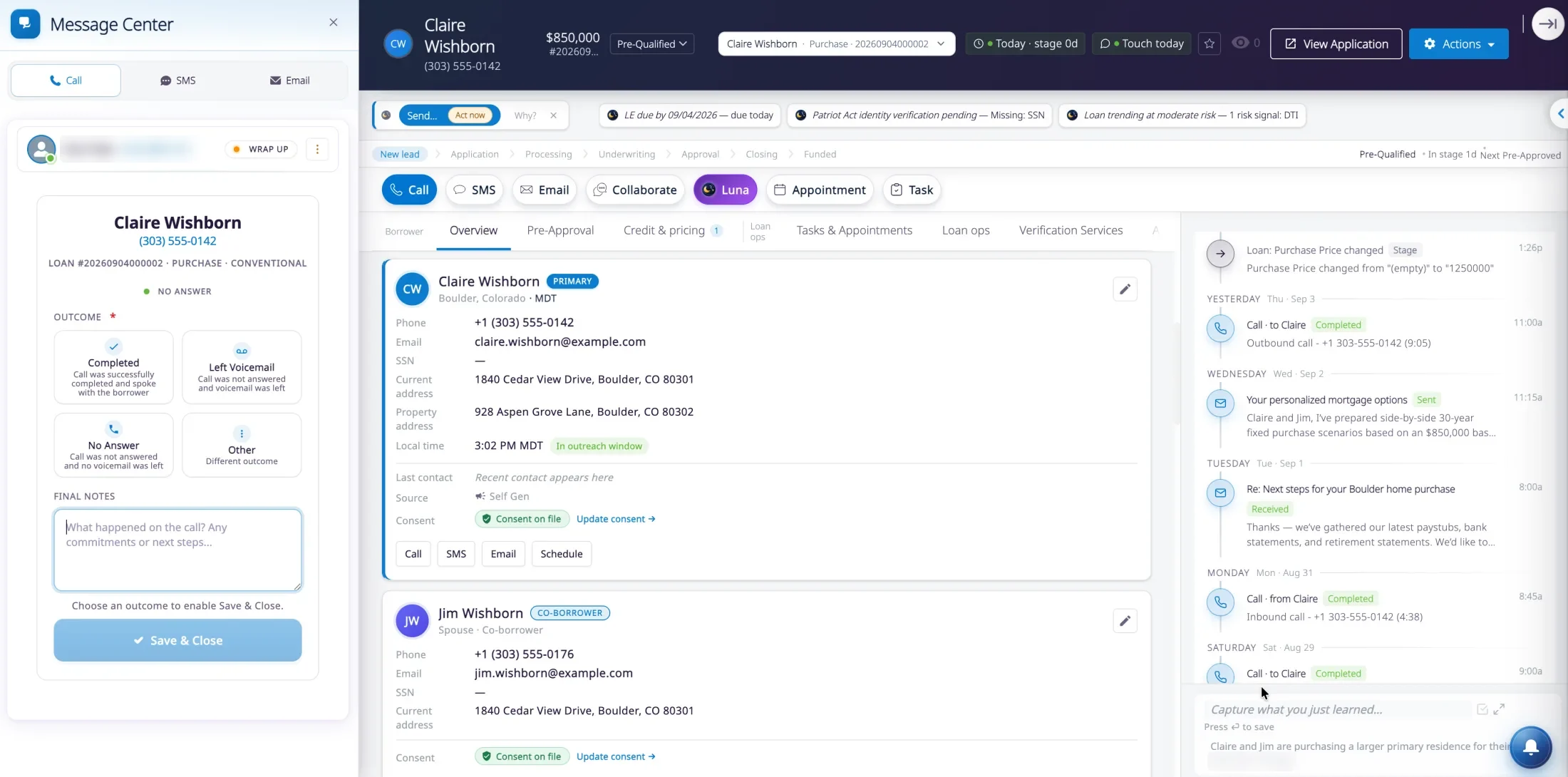
The Message Center your team uses at the desk, on the phone: calling, texting and email, on the company’s number, filed on the loan as it happens.
Calls on a company number
Loan officers place and receive calls in the app, on a number your company assigns. An incoming call rings like any other call, even when the app is closed.Every call lands on the loan
The call is logged against the borrower and the loan. A short wrap-up records the outcome, notes and a follow-up task or appointment.Texting in the app
One-to-one and group texts with photos and files, on the business number, with the borrower’s consent recorded.Work email in the app
The loan officer’s work mailbox: read, reply, search and link a thread to its loan.Hold, transfer, voicemail
Mute, hold and transfer during a call. Missed calls and voicemail sit in one inbox, with playback.The history stays with the company
The number is yours and the conversations are on the loan record. Neither lives only on someone’s phone.
Loan officer app · the loan
Work the file from wherever you are
The app works on the same records as the web workspace, with the lender’s own sign-in and a fingerprint or face unlock. There is no second pipeline to keep in step.
Pipeline and search
The pipeline with filters, and search across the borrowers and loans the loan officer can see.A new lead in a minute
Create a lead from phone contacts or by pasting an introduction. The app checks for a duplicate first.The application
Open and edit the full loan application wherever the borrower is.Credit, pricing and underwriting
Order credit, price the loan and send a quote, run automated underwriting and read the findings.Pre-approval letters
Preview the letter and send it when the agent asks for it.Documents, conditions and tasks
Request a document from the borrower, review what has come in and clear what is still open.
Borrower app
The application, the way the borrower prefers
Some people fill in forms. Some would rather answer questions. Some just want to photograph their pay stub. The borrower app takes all three and keeps one application.
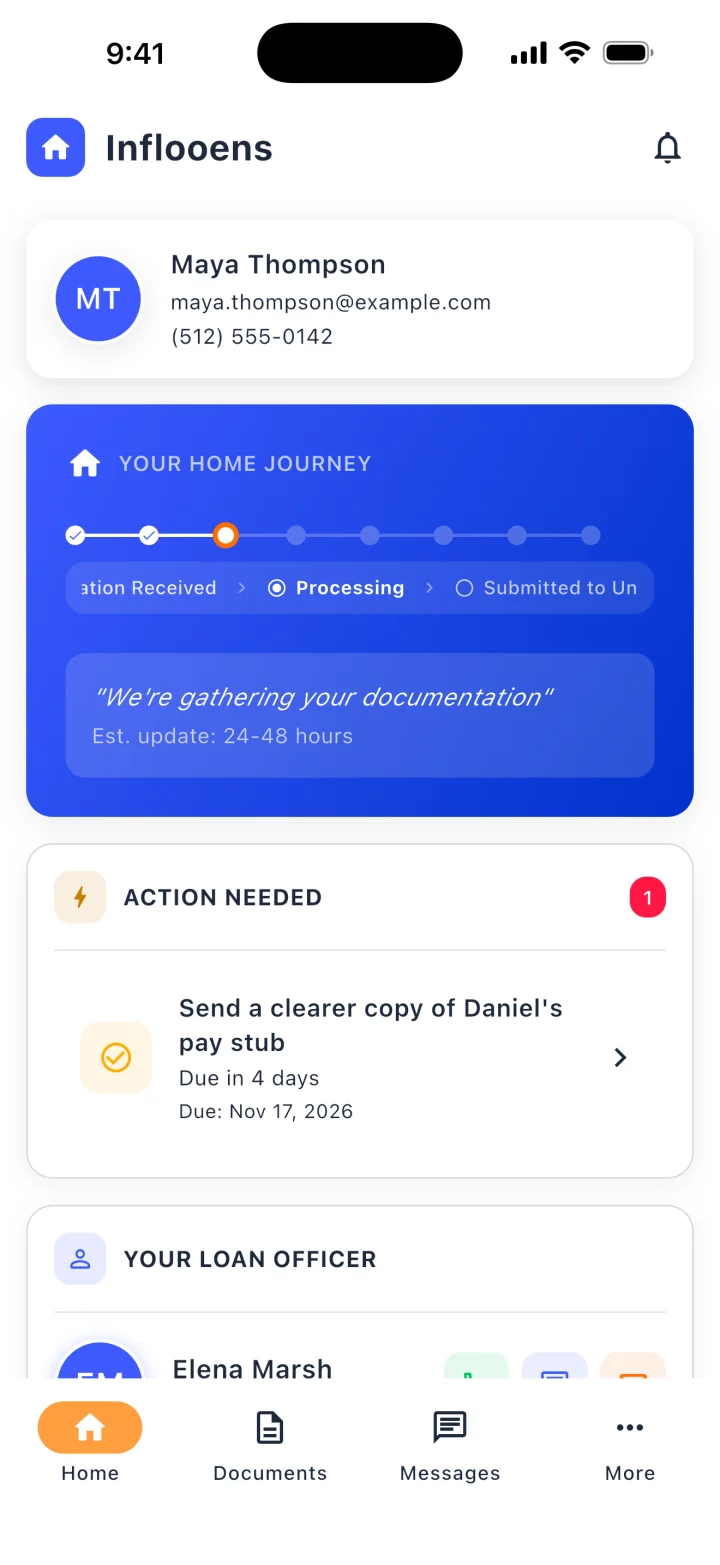
Home: where the loan stands, what is needed, and who to call 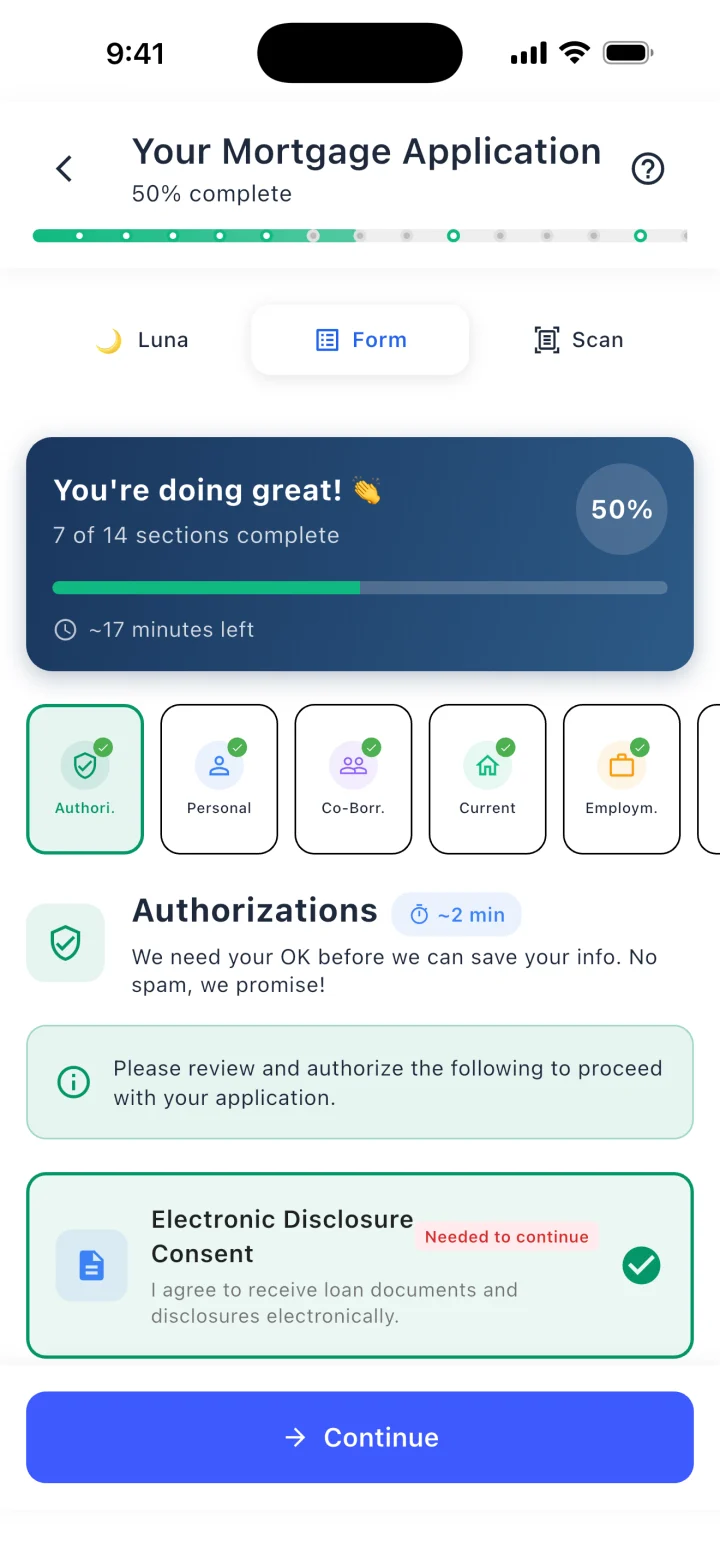
The application as a form, with Luna and Scan one tap away 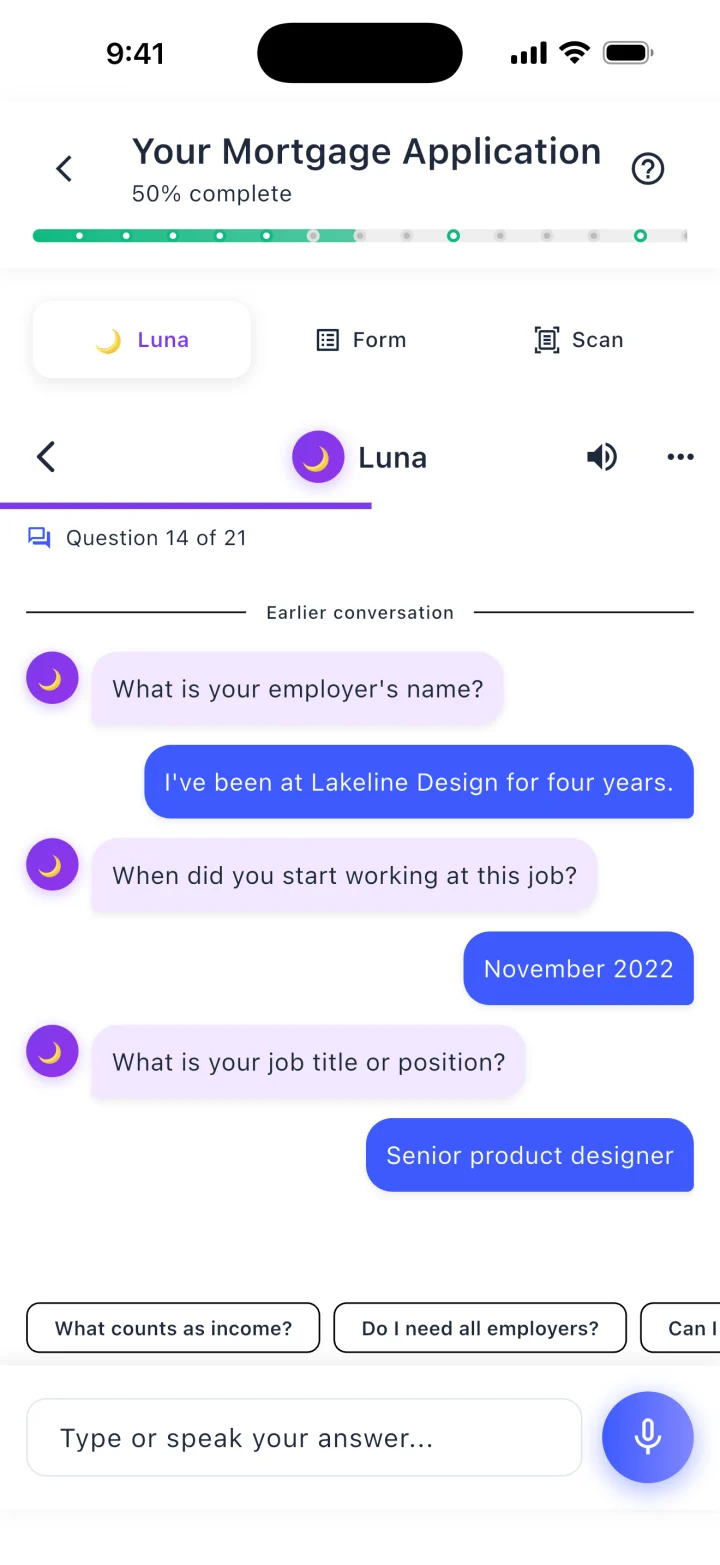
Or answer Luna’s questions, typed or spoken 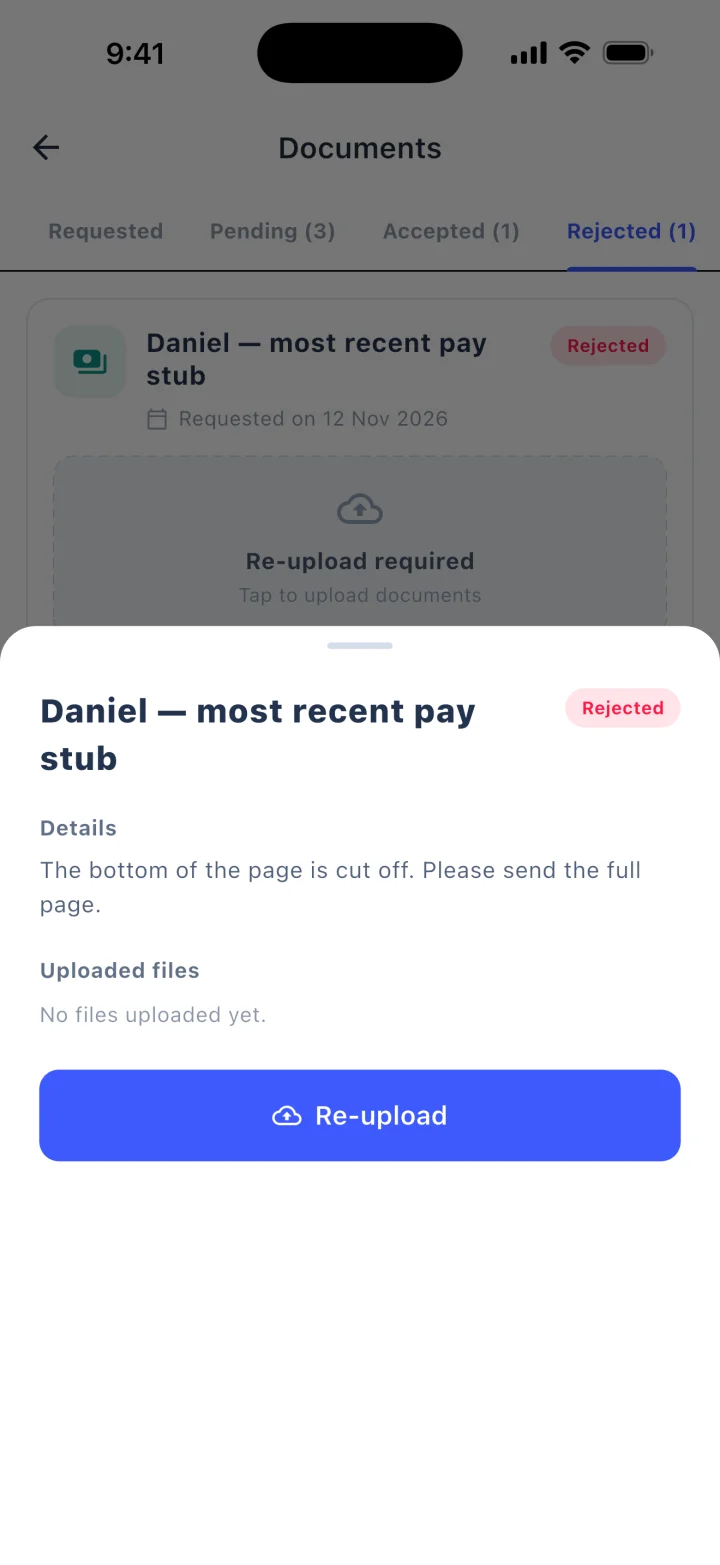
A document sent back, with the reason and a re-upload
Demo data, real screens
Three ways to apply
A guided form, a chat with Luna AI, or photographs of their documents that fill in the form. Borrowers switch between them without losing answers.The co-borrower too
Invite a co-borrower by link, hand them the phone, or answer for them.Where the loan stands
Milestones, a short list of what is needed, and their loan officer’s contact card.Documents from the camera roll
Upload what the lender asked for, against the right request.Bank and payroll, linked
Link a bank or payroll account to bring assets and income into the application.Notified, not chased
Push notifications when something changes or something is needed.
Real estate agent app
The agent stops asking “where are we?”
Agents send a large share of purchase business, and they spend their days in the car and at open houses. Their app answers the question they call about, and makes the next referral easy.
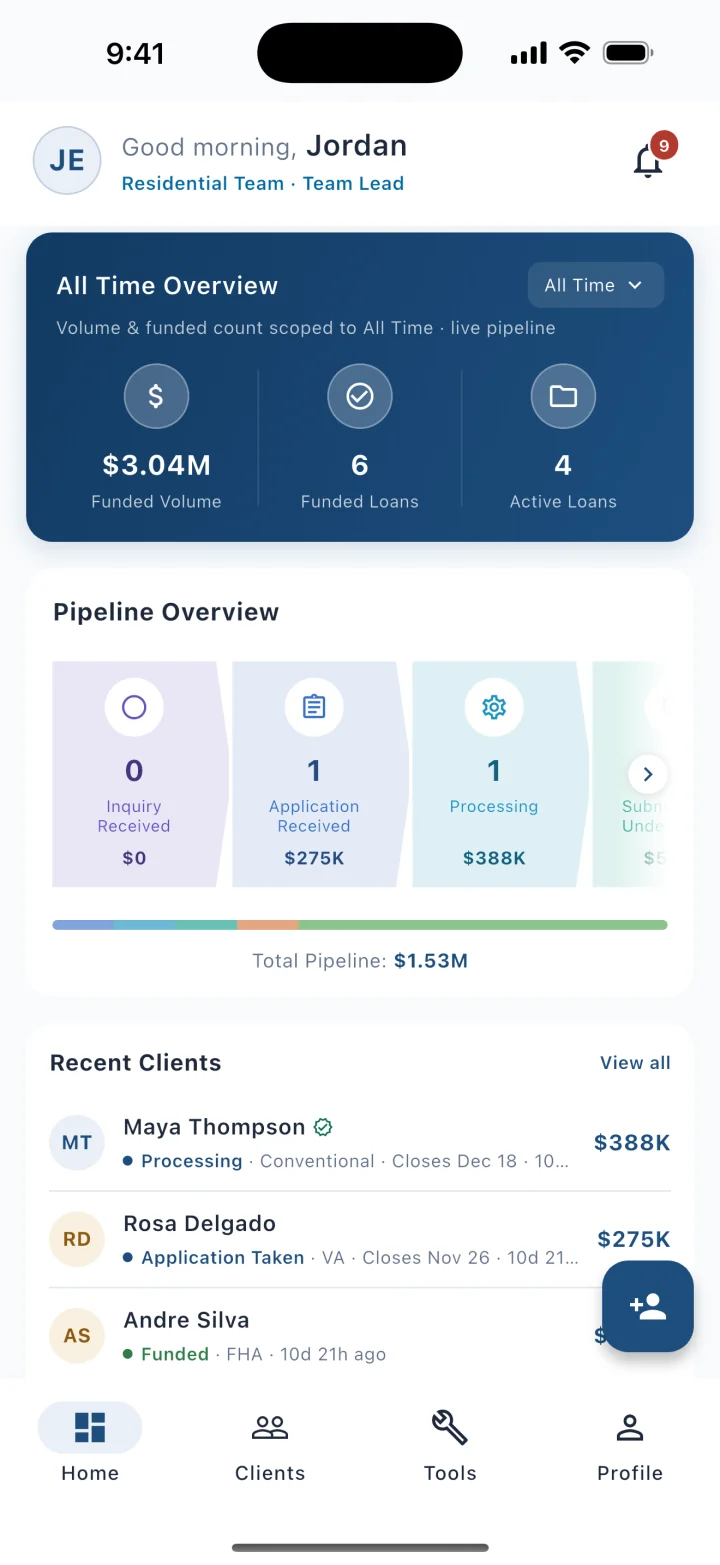
The agent’s home: volume, pipeline and recent clients 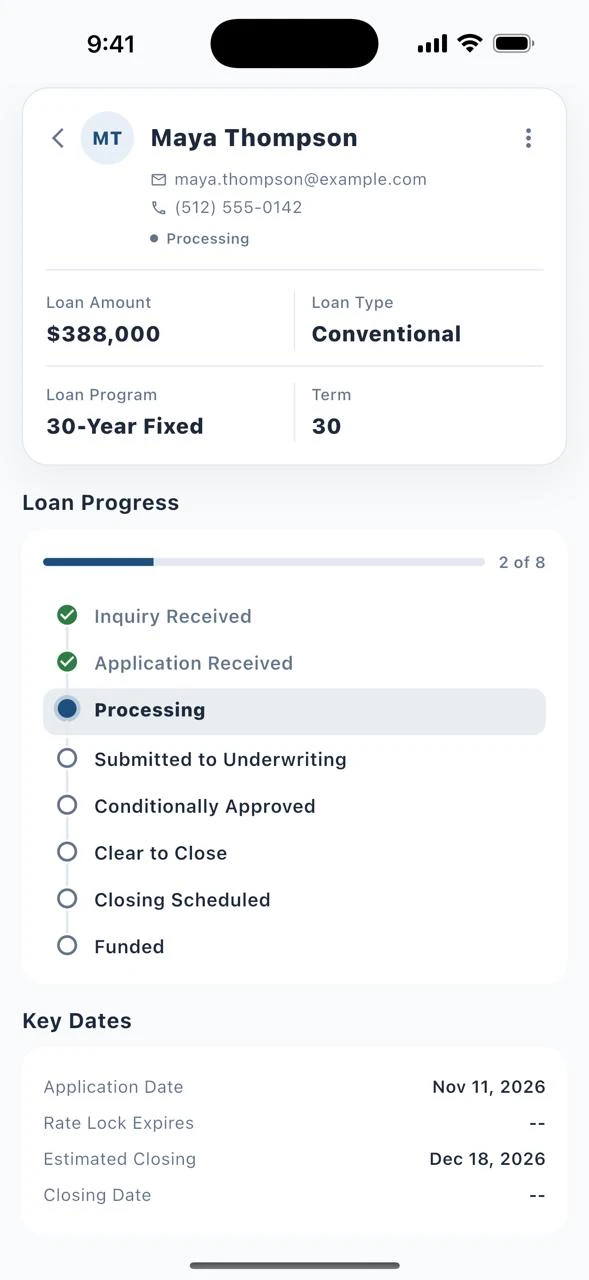
One client: loan progress and key dates 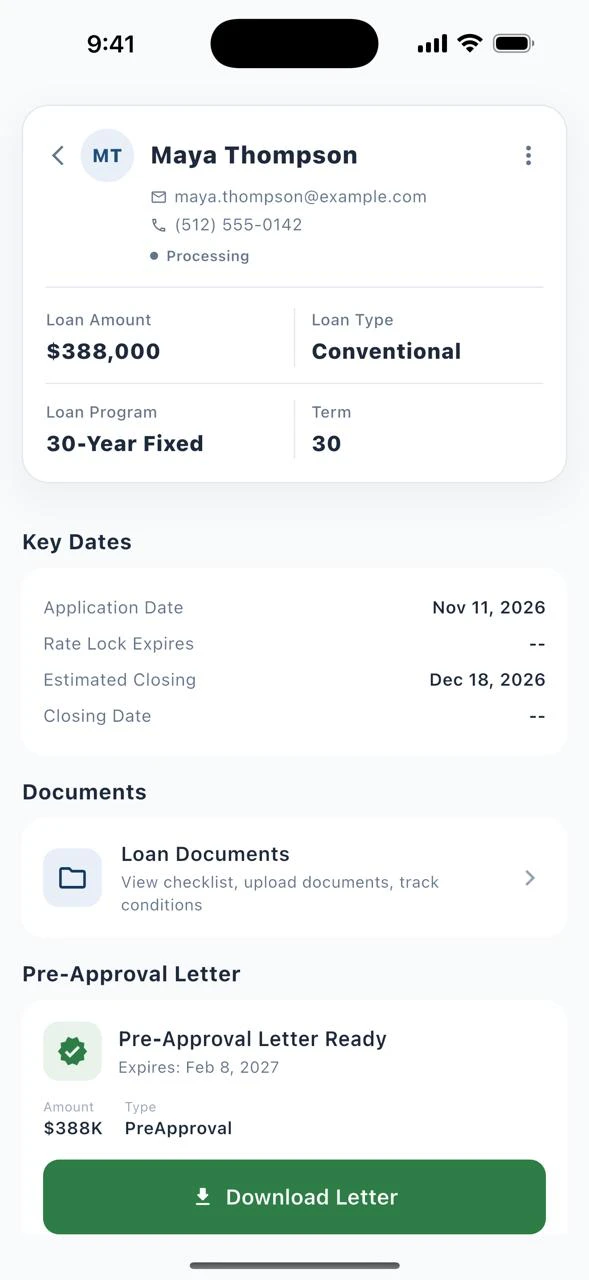
The pre-approval letter, ready to download
Demo data, real screens
Every referred client, at a glance
Status, milestone progress and key dates such as rate-lock expiry and estimated closing.Refer in a few taps
From phone contacts or a scanned business card, with a duplicate check and a choice of loan officer.Pre-approval letters
See, download or request the letter from the app.Open house mode
Visitors sign in on the agent’s phone or tablet with their consent. It works without signal and syncs later.Listing flyers
Co-branded flyers with a QR code, and a count of the leads each one brought in.Only what an agent should see
No Social Security number, date of birth, credit score, income or bank details. Notes appear only when the loan team shares them.
One record
What happens in the app is on the loan
A call taken in the car, an application edit made at an open house and a referral sent from a listing all show at the desk, because there is only one record.
There is nothing to re-enter when the loan officer gets back to the office, and nothing lives only on someone’s phone.
Straight answers
Questions about the mobile apps
- Are the apps available now?
- All three are built and in beta, and they are rolling out to lenders by invitation. They are not public downloads on the app stores. Ask us where each app stands for your company.
- Do loan officers use their personal number?
- No. Calls and texts in the loan officer app use a number your company assigns, and they travel over data, not the phone’s own line. The borrower sees the business number.
- What happens to the conversations when a loan officer leaves?
- They are on the loan record, with the calls, texts and emails that came before. The number is assigned by your company.
- How do people get the app?
- By invitation. Loan officers are invited from the Lending Hub workspace, and real estate agents and referral partners are invited from Partner Hub.
- What can a real estate agent see?
- Their referred clients’ status, milestones, key dates and pre-approval letters, and the notes the loan team chooses to share. Agents do not see Social Security numbers, credit scores, income or bank details.
- Do the apps keep their own copy of the loan?
- No. The apps work from the same loan record as the desktop workspace. An edit made in the app shows on the loan at the desk.
See the apps.
Thirty minutes. Your scenario. A live file, at the desk and in the app.